
FamilyExtra Value Date
This Condition located on the Extra Value category tab in Search Builder allows you to find every family member whose family has an Extra Value whose value is a date.
For this Condition, you need to know the exact name of the Extra Value, and you can select a date, using a Comparison of Greater Than or Equal, Less Than or Equal the specific date.
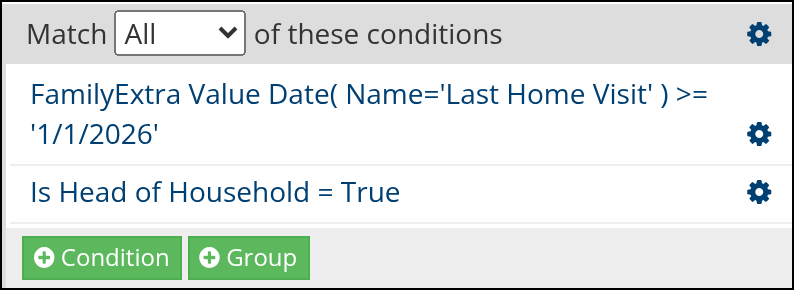
Sample search in Search Builder
Note
If your role isn’t allowed to view an Extra Value, this Condition returns 0 people for that field, without an error.
Note
Every member of the family is returned when the family has the matching Extra Value.
See also
Latest Update |
10/19/2026 |
Documented Extra Value view restrictions and that every family member is returned. Added a sample search screenshot from Search Builder. Renamed the article to match the Condition name in Search Builder.