
Bad Address Flag
This Condition is located on the Address category tab in Search Builder and allows you to find people who have the Bad Address flag set on their people record.
When a person’s address is flagged as Bad Address, the address displays with a strikethrough in the Business Card section of their people record. You can set or remove the Bad Address flag by clicking the pencil icon beside the address in the Business Card section.

The Business Card section showing the pencil icon beside the address (TP Support).
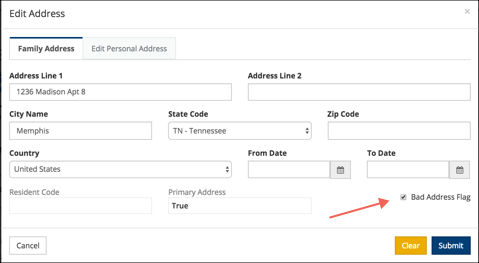
The Edit Address dialog with the Bad Address Flag checkbox.
The Bad Address flag affects the person’s primary address — either the Family Address or Personal Address depending on which is set as primary. The Comparison is either True or False. Set the value to True to find those with bad addresses, or False to exclude them from your results.
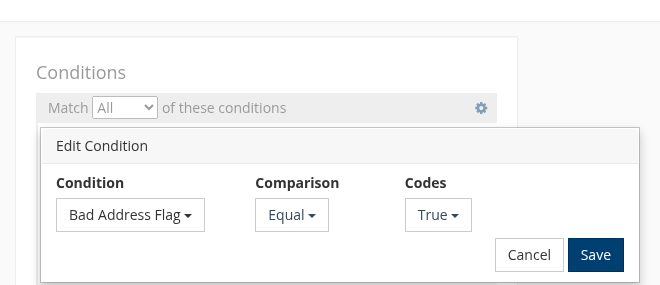
Search Builder with Bad Address Flag condition set to Equal True.
Note
If you are printing labels or exporting the Bulk (CSV) file, those with Bad Address on their record will not be included, even without this condition in the search itself. They will be included in other exports, so include this Condition if you do not want those included in any other type of export.
Use Case
If we have members that are not attending and have a Bad Address flag set we do not include them in our Resident Membership. So, when we determine this number, we exclude from our search anyone with a Bad Address flag set to True.
Latest Update |
6/22/2026 |
Rewrote article with updated screenshots.