
Recent Pledge Count
This Condition, located on the Contributions category tab in Search Builder, allows you to find people based on the number of pledges they made in the number of days you enter. For couples who give jointly, gifts are credited to the Head of Household, so only the Head of Household is returned.
Enter a Comparison and a number, the Days to look back, and an optional Fund ID (leave blank for all funds).
Equal 0 finds people with no pledges in that period.
Note
You must have the Finance role to get results from this Condition. Without it, the search returns 0 people and does not show an error.
Use Case
To remind church members who have not pledged in the past year,
combine this Condition Equal 0 for 365 days (and your pledge fund’s ID)
with Church Member Status = Member.
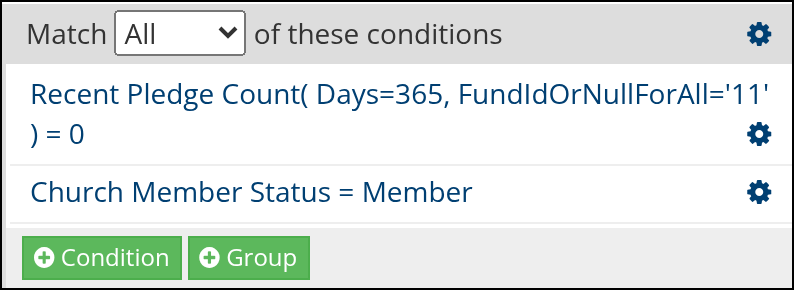
Sample search in Search Builder
Latest Update |
10/20/2026 |
Corrected the article to explain that Equal 0 finds people with no pledges and documented the Finance role requirement. Added a sample search screenshot from Search Builder. Corrected the Church Member Status Condition name in the Use Case.