
Envelope Options
This Condition, located on the Contributions category tab in Search Builder, allows you to find people by the Envelope Option on their Member Profile and Giving tabs. The options are Joint, Individual, None, or not specified. Select one or more options from the list.
Note
You must have the Finance role to get results from this Condition. Without it, the search returns 0 people and does not show an error.
Editing the Envelope Option on a record requires the Membership or Finance role.
Use Case
If an envelope service mails envelope sets to your donors, send the service two files: one for couples who share a set and one for people who receive their own set.
Joint sets: Run a search with this Condition set to Joint. Select Toolbar > cloud > Export Excel > Mailing / Bulk (csv), then select Couples (both) in the Choose Options dialog box. Spouses who are both set to Joint are combined into one row (Mr. and Mrs. John Smith). If only one spouse is set to Joint, that person is listed alone.
Individual sets: Change the Condition to Individual and export again, this time selecting Individual. Each person is listed on a separate row (John Smith and Mary Smith).
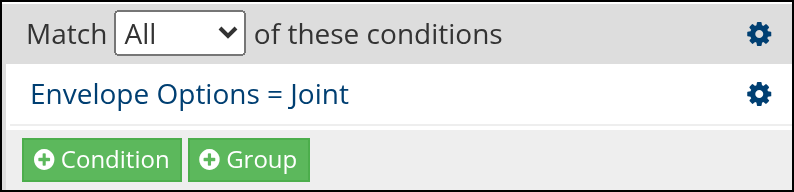
Sample search in Search Builder
See also
Latest Update |
10/20/2026 |
Added the Finance role requirement to run the Condition. Changed Combine Couples to the current Couples (both) export option. Rewrote the Use Case as steps for exporting Joint and Individual envelope sets. Added a sample search screenshot from Search Builder.