
Recent Contribution Amount With Both Joint
This Condition, located on the Contributions category tab in Search Builder, allows you to find people based on the total amount given in the number of days you enter. For joint giving units, the couple’s combined total is compared. For couples who give jointly, both spouses are returned, even if the gifts are recorded on only one spouse’s record. Individual givers are returned as well.
Enter the following:
Comparison and an amount (no dollar sign)
Days to look back
Fund ID (optional) - leave blank to include all funds
Note
You must have the Finance role to get results from this Condition. Without it, the search returns 0 people and does not show an error.
Equal 0 finds people with no contributions in that period.
GreaterEqual 0 and LessEqual also include people with no contributions.
Caution
Use LessEqual rather than Less with this Condition. Less does not currently use the number of Days, so it looks at all giving history and also includes people whose total equals the amount entered.
Use Case
To send a year-end thank-you to every household that gave this year,
select Greater, enter 0, and enter 365 for the Days.
Both spouses of joint givers are included, so select Couples (both) when you export
the mailing list to send one letter per couple.
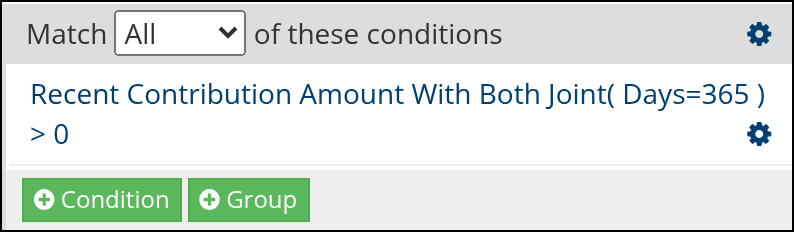
Sample search in Search Builder
Latest Update |
10/20/2026 |
Renamed the article to match the Condition, explained zero values, noted that Less does not use the Days, and documented the Finance role requirement. Added a sample search screenshot from Search Builder. Updated the sample screenshot to match the Use Case and changed Combine Couples to the current Couples (both) export option.