
In Sub-Group
This Condition located on the Enrollment category tab in Search Builder will look for individuals who are in a Sub-Group with a specific name.
Use Case
If you have multiple Involvements that use sub-groups named Leaders, you can enter Leaders as the Value and find everyone who is in a sub-group with that name within the Program and/or Division specified.
Sometimes that is easier than trying to select individual Member Types to find the leaders.
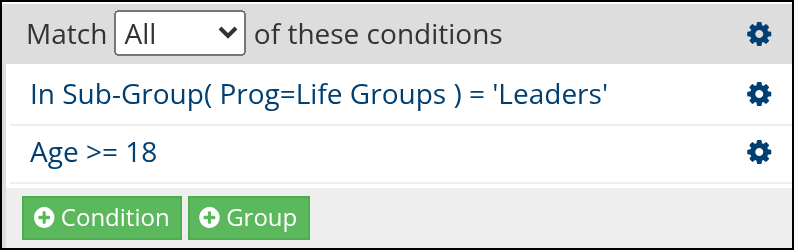
Sample search in Search Builder
- Prefix
You can also enter a sub-group prefix and find those in groups beginning with that prefix. Prefixes are used in large Involvements that have a lot of sub-groups. You can categorize groups that are similar in nature by assigning them a prefix.
Tip
Leave the value blank to find members who are not in any Sub-Group.
See also
Latest Update |
10/19/2026 |
Documented the blank value and updated terminology. Added a sample search screenshot from Search Builder.