
Class List
This list contains every member of each Involvement and can be generated for any criteria you use as filters on the Involvements > Search page. The report will have a page break at each different Involvement, with a header containing the name of the Division followed by the Involvement name with the leader’s name in parentheses.
This is very similar to the Roster Report, but without the Church info or the Medical/Allergy information.
The list contains the following information for each Involvement member:
Name
People ID #
Address
Phone numbers
Email address
Member Type (within the Involvement)
See also
Run the Class List
- Step 1
Go to Involvements > Search and select the appropriate criteria for the list of Involvements you want to include and click Search.
- Step 2
Select Blue Toolbar > Cloud > Special Reports > Class List. This will open as a PDF report. Print using the print function for your browser or for PDF.
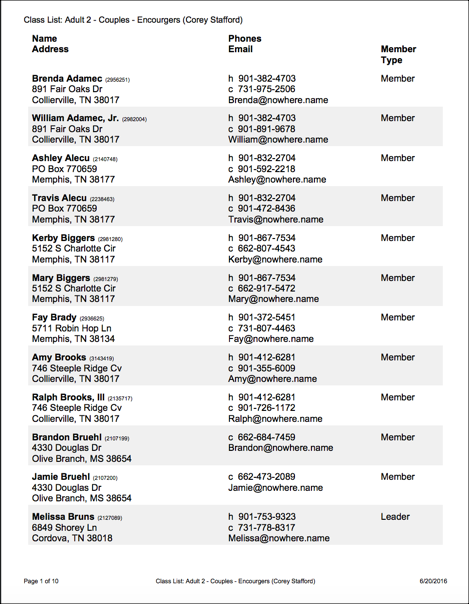
Sample Class List
Latest Update |
10/23/2026 |
Updated the Involvements > Search path, Special Reports menu path, and Involvement terminology.