
Inreach / Outreach Report
- Inreach / Outreach Report
This report can be run from Blue Toolbar > Cloud for a person, a Tag, an Involvement, a filtered list in an Involvement, or for a search results in Search Builder.
It is a one-page per person report that is designed to provide information you would need in order to make a Contact. It presents personal information in the Header, then a Family Summary, a list of Recent Attendances, the completed Tasks and Notes about that person, and then a list of Current Enrollments. If the person has a lot of Tasks and Notes or enrollments, the report may run to several pages.
As you see in the image below, you have everything you need in order to make a Contact.
You can print only the Inreach/Outreach report, or to print the Inreach/Outreach with Form. The form is an added page where you can record the results of your visit and then transfer that information into TouchPoint when you record the Contact. See below for a sample.
Each section of the report is outlined below.
Header
The date printed will be in the top left corner, with the individual’s information across the top in the header section.
Name
Phone number
Email address
Street address
Position in the family
Gender
Marital Status
Church Member Status (and PID#)
Origin (why the person was entered into the database)
Age
Comments (from the Profile tab)
Family Summary
This section lists any other family members that are in the database with the following information:
Name
Age
Cell Phone #
Position in Family
Church Member Status
This is helpful if you are making a personal visit or even making a phone call to the home to know names and ages of others in the family.
Attendance Summary
This is especially helpful if you are planning a Contact for a recent guest. You can see exactly when and what they have attended.
Date
Event (name of the Involvement/class)
Teacher
Schedule (time of the meeting)
Tasks & Notes
This is a list of the completed Tasks and Notes about that person. This section appears only when the person has at least one.
Date
The name of the person who completed the Task or wrote the Note
The text of the Task or Note
See also
Current Enrollment
This is a list of anything the person is currently enrolled in.
Division
Involvement
Member Type (within the Involvement)
Enrollment date
Sample Report
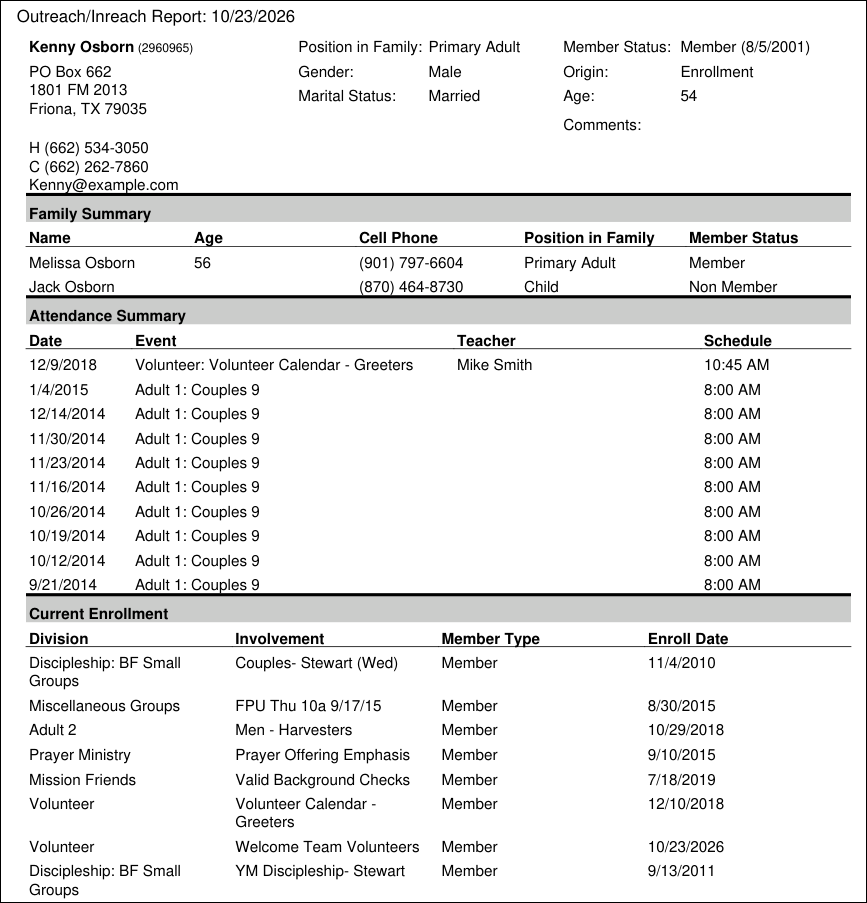
Sample Inreach/Outreach Report
Extra Values on Report
You can include specific Extra Values on this report. You can read about it in the document listed below.
Report with Form
If you are printing forms to take with you on a visit, you may prefer the version that adds a 2nd page. Select Inreach/Outreach with Form. This form page has a place for you to make notes until you return to your computer and can log the Contact into TouchPoint. Notice that the top of the form page has the name and PID# of the person from the Inreach/Outreach report. That is helpful in case the first page is separated from the form.
Sample Form
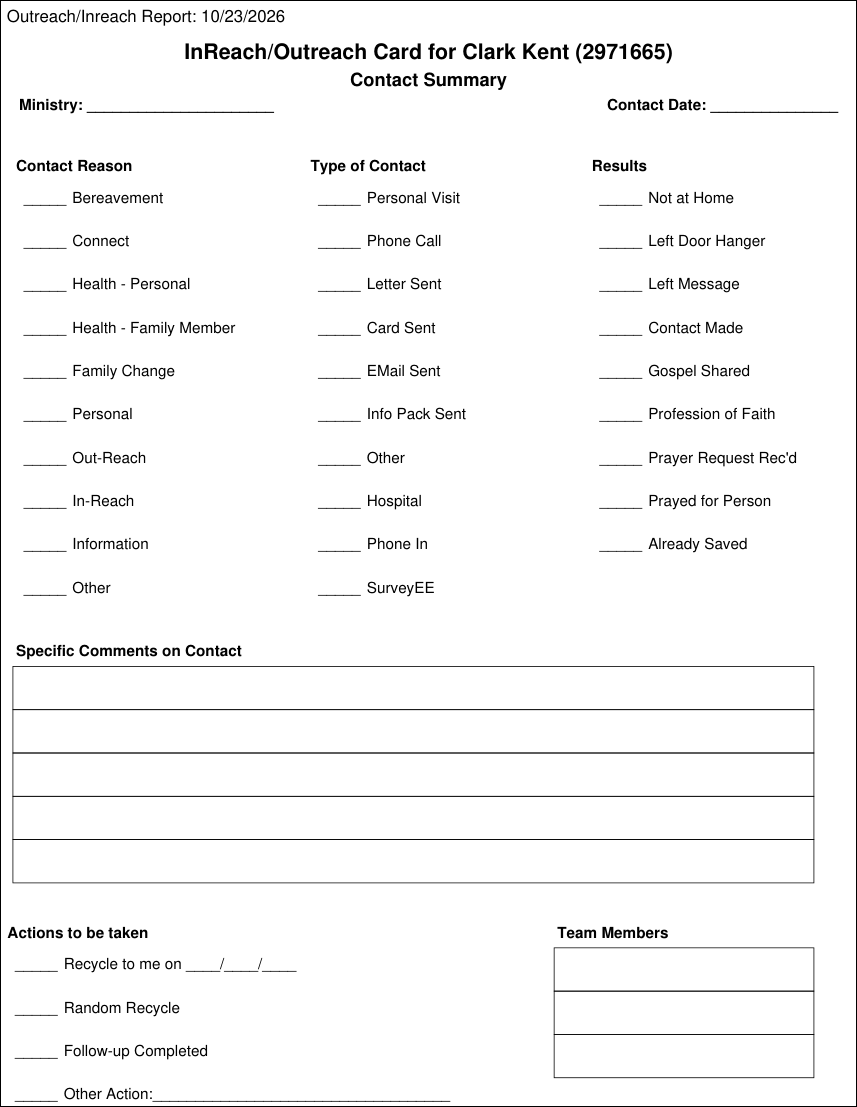
Sample Optional Form
Latest Update |
10/23/2026 |
Replaced the Contacts section with the current Tasks & Notes section, replaced the sample report and form screenshots, and removed first-person and casual wording.