
Has Balance In Involvement
Located on the Enrollments category tab in Search Builder this Condition will find anyone in the specified Program / Division / Involvement who still owes an amount greater than $0 on their most recent registration for the Involvement.
Set the Comparison to Equal True. Then select only a Program, or a Program and Division, or all three, Program/Division/Involvement.
Use Case - Monthly Fees
Our church has a music program for those taking private or group music lessons. We allow them to pay a deposit equal to the first month’s fee, then make subsequent payments monthly. Using this search, the administrator over the program can use a saved search and send an email at the end of each month, reminding those with a balance, that monthly payments are due on the 1st. For this use case, they would specify a Program and Division only, in order to include all the Involvements.
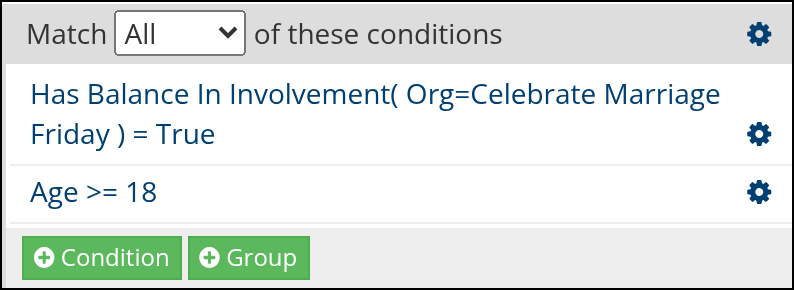
Sample search in Search Builder
Note
Inactive and Prospect members are included.
See also
Tip
For an individual Involvement, remember, you can run the Member Export from the Involvement page and it will show the Involvement member’s fee, the amount paid, and will have a 1 in the Has Balance column if they still have a balance. You can filter by the Has Balance column to view those with balances due.
See also
Latest Update |
10/19/2026 |
Corrected the description to the amount still owed on the latest registration, and updated terminology. Added a sample search screenshot from Search Builder.